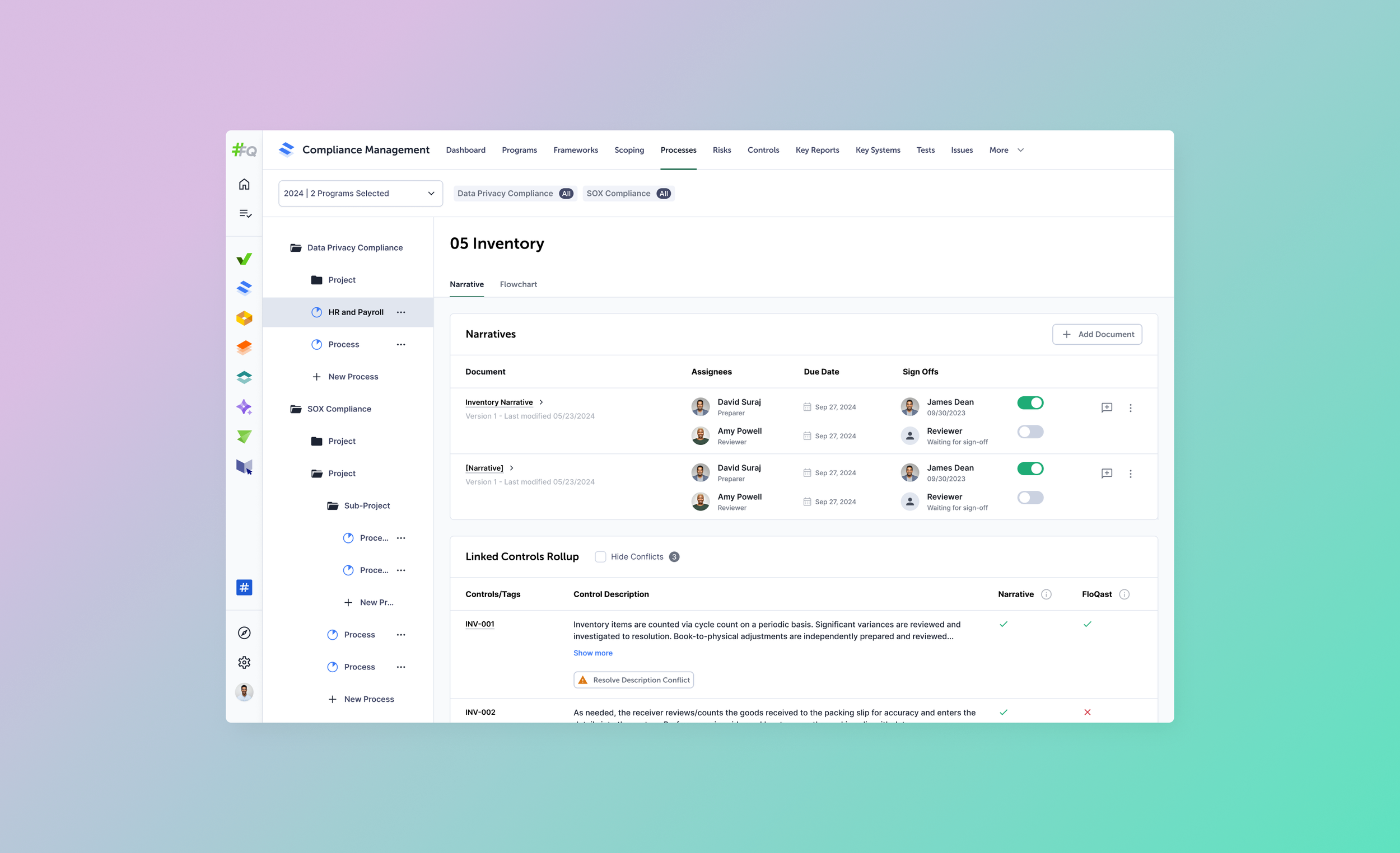
Multiple Files per Process
All Processes Are Not The Same
This is one of the first major projects I took on after joining the company, so there was a lot to learn about in the world of accounting compliance (too much). So there was a learning curve in understanding these processes and how they play a role in auditing financial practices for our customers.
Definitions
-
a structured sequence of steps an organization follows to record, classify, summarize, and report its financial transactions in a manner that adheres to applicable laws, regulations, and accounting standards.
-
any policy, procedure, or mechanism that an organization puts in place to ensure the integrity, accuracy, and reliability of its financial reporting, while also safeguarding assets and ensuring adherence to laws and regulations.
Problem
Currently, FloQast processes could only account for a single file/document to be used to provide a narrative for a given process.
However, customers often use multiple documents to provide complete coverage of that process.
In addition, each document is parsed to extract appropriately tagged controls and their corresponding descriptions. This results in potential conflicts with descriptions and require correction.
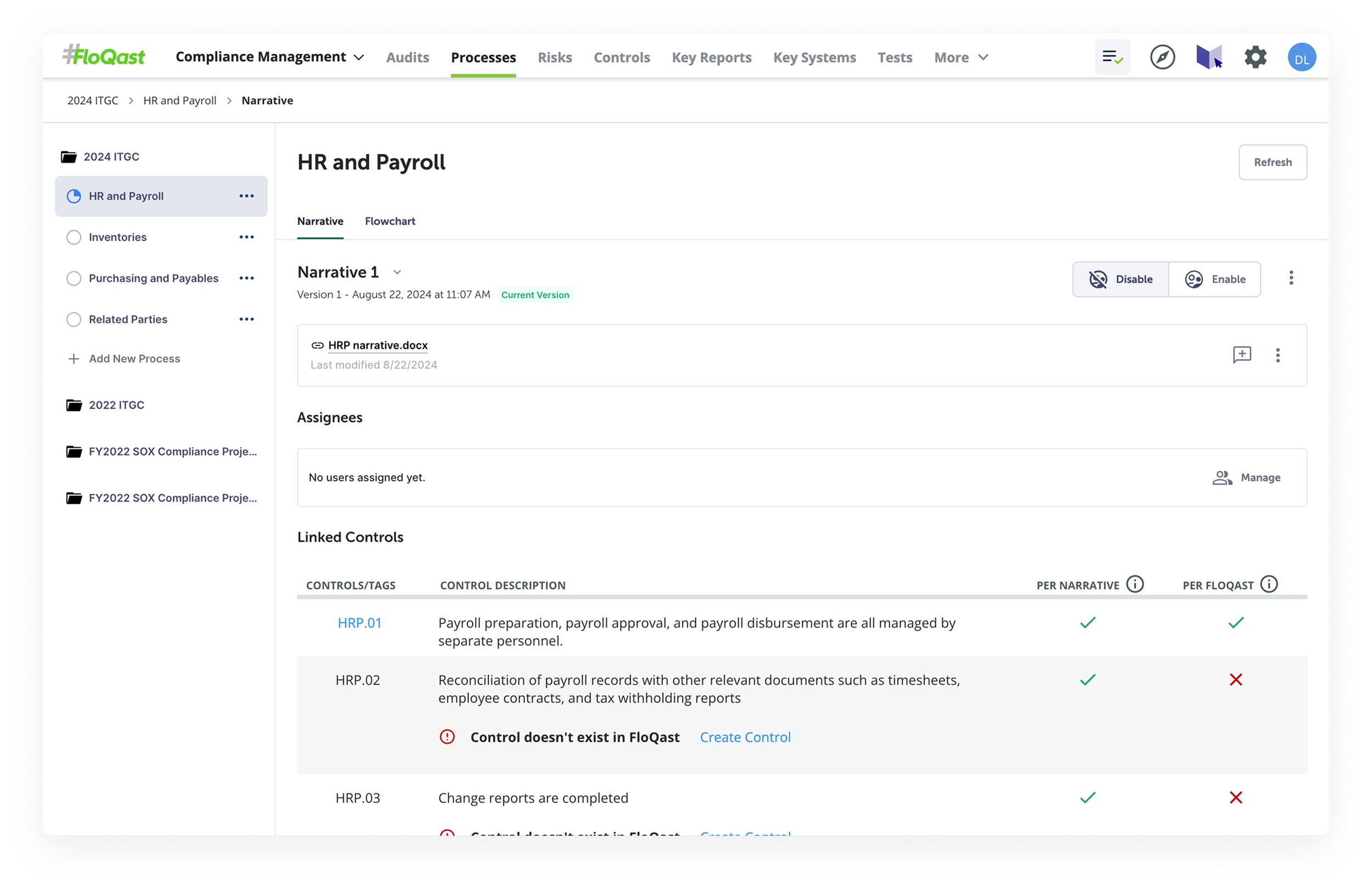
High-Level Goals
The scope of this project was to:
Upload multiple files per process
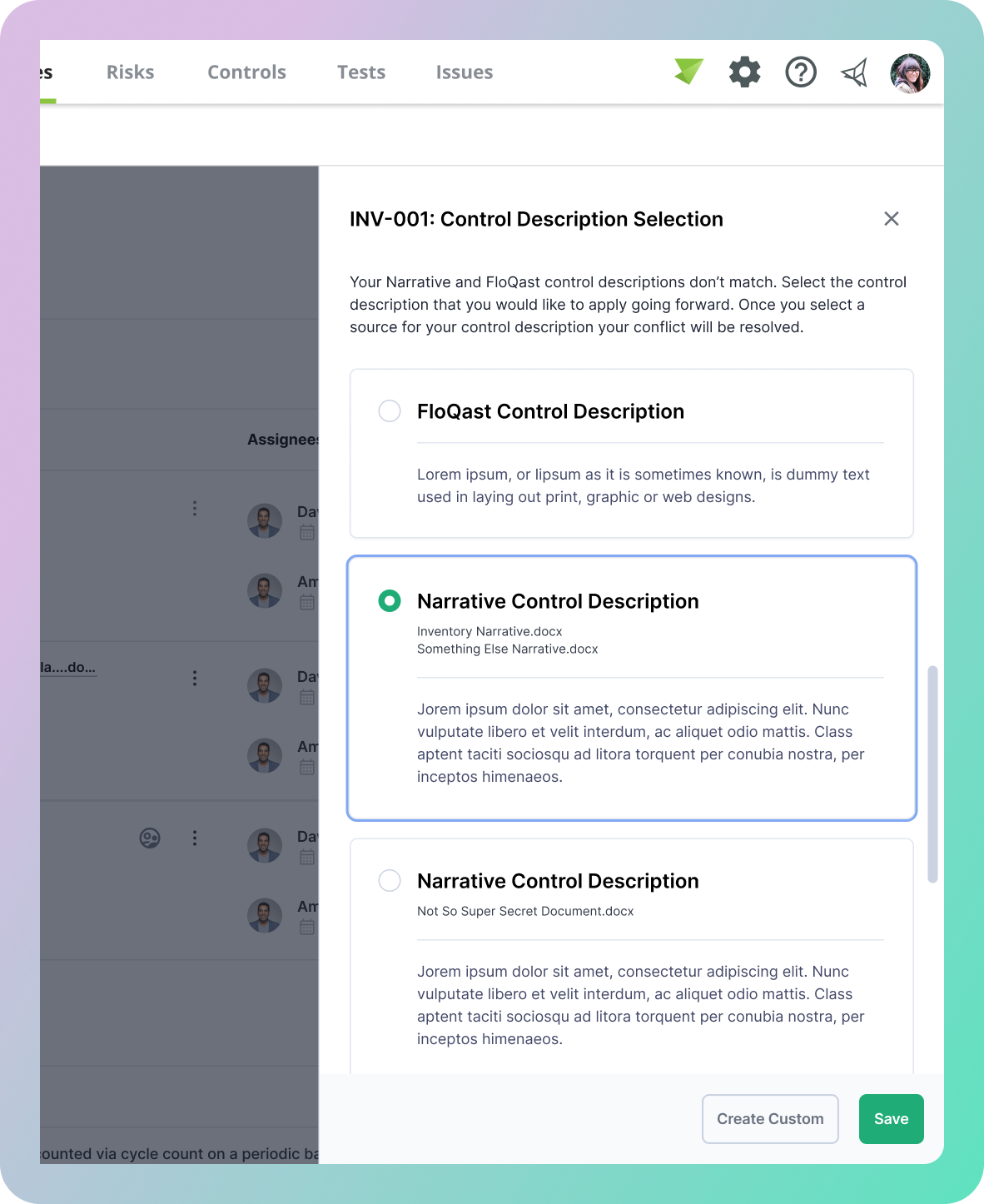
Description conflict resolution
Versioning per process/document
Kickoff
I typically like to work with my team on creating a PRD in a structured form that helps provide context and goals as laid out above. This way they can be broken down to tasks that are required to accomplish those goals within our platform within a goal-oriented feature matrix.
First Iterations
We move onto tackling our high-level goals in a first iteration.
Displaying Multiple Documents
The initial focus was giving users a clear way to see all files tied to a single process without overwhelming the existing UI. Early explorations used a simple document list within the process detail page, surfacing key metadata like upload date and associated controls count at a glance.
Description Conflict Resolution
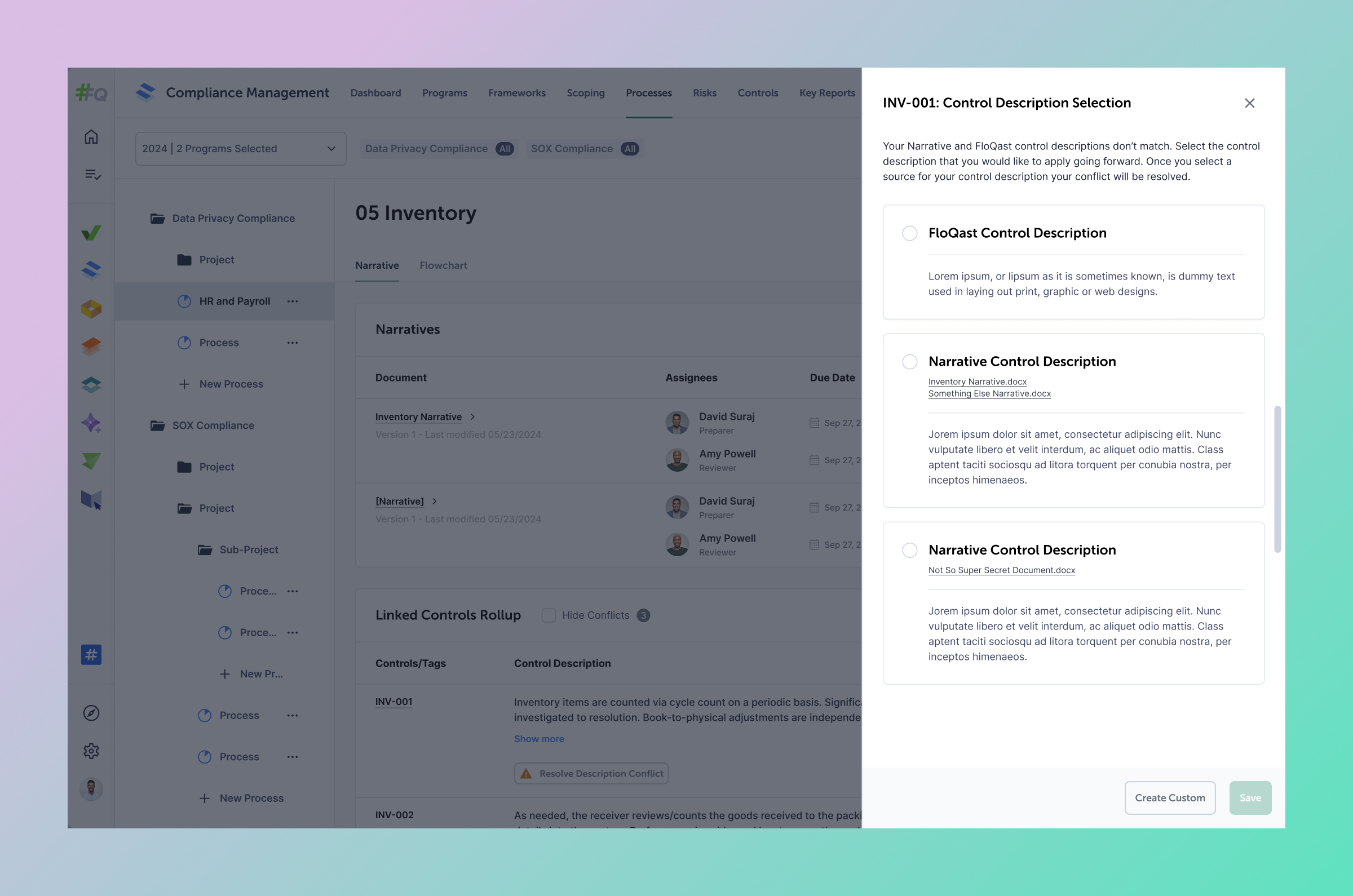
When multiple documents are parsed, the same control can appear with different descriptions across files. The first iteration surfaced these conflicts inline, presenting each version side by side so compliance managers could make a deliberate, informed choice rather than having the system decide for them.
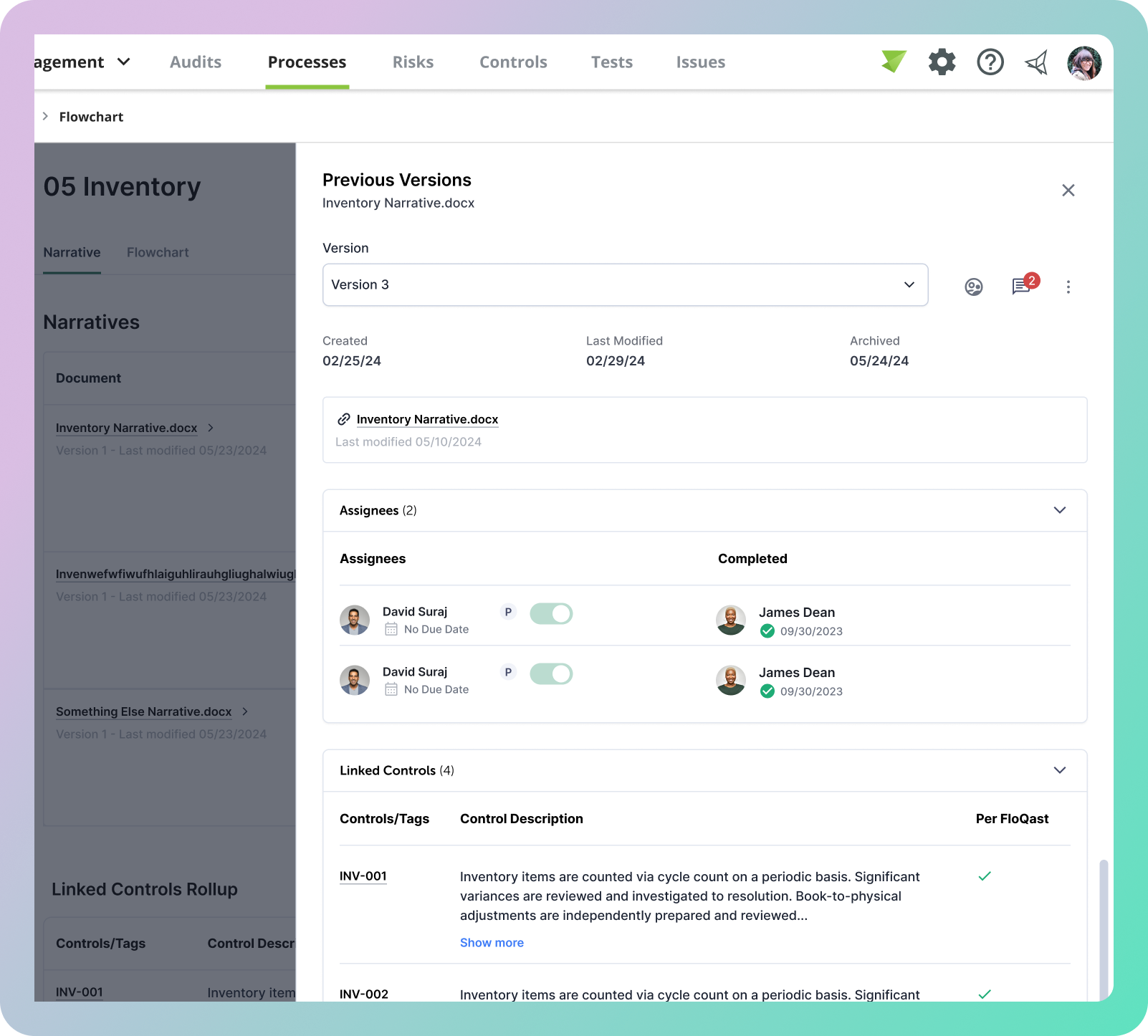
View Version History per Document
Audit trails are non-negotiable in compliance workflows. The first iteration introduced a per-document history panel logging each upload with a timestamp, uploader, and a summary of control changes — giving teams the confidence to trace any change back to its source when it matters most.
Feedback
I presented the current designs to our design panel, which is a critique sessions with our entire design team where they provided some feedback to move forward with.
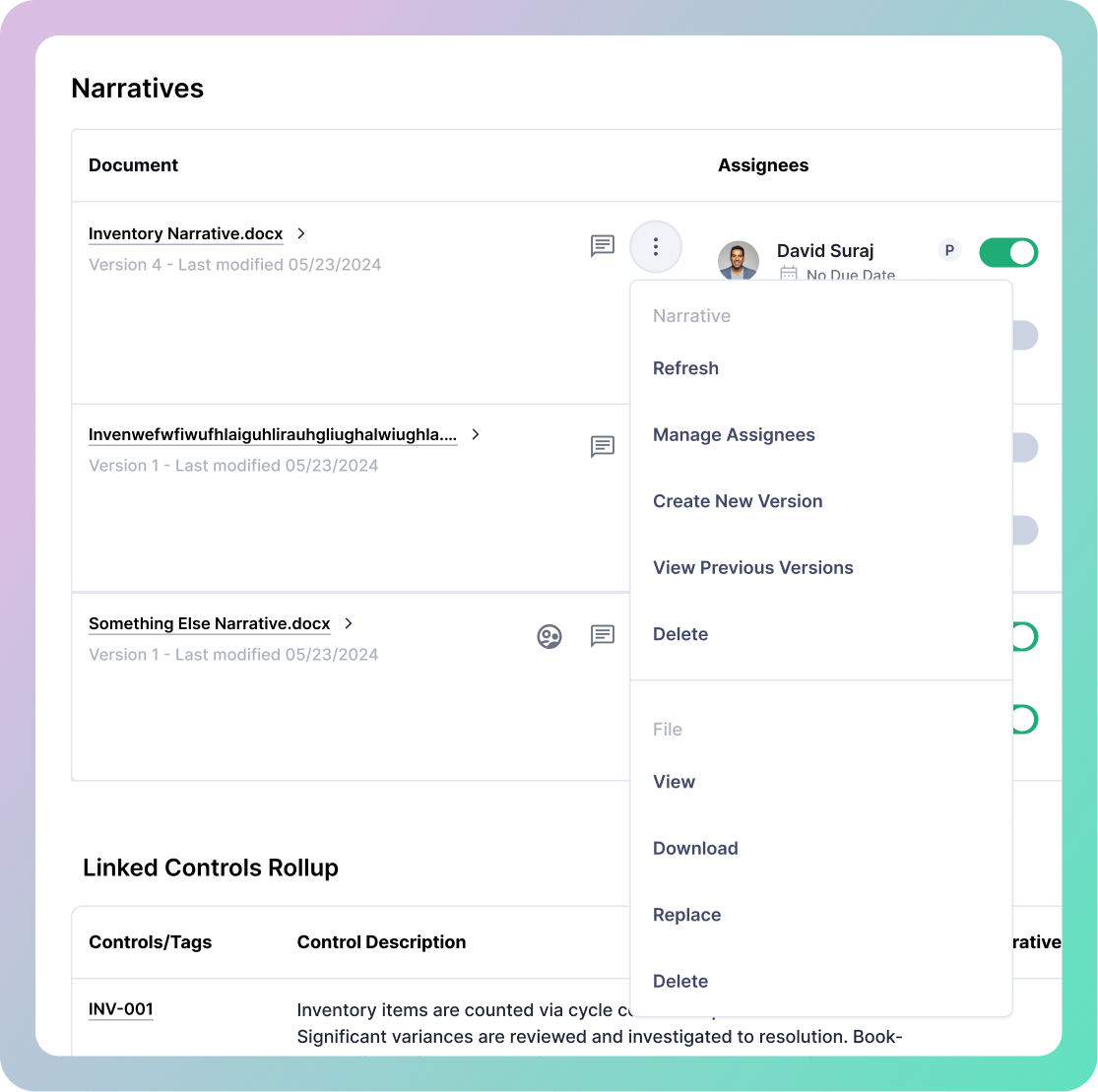
Dropdown Overload
We began to realize that the number of actions that a user should be able to take on a given document began to become overwhelming for a dropdown including the idea of having duplicative actions for a narrative document vs the file itself.
Version History Visualization
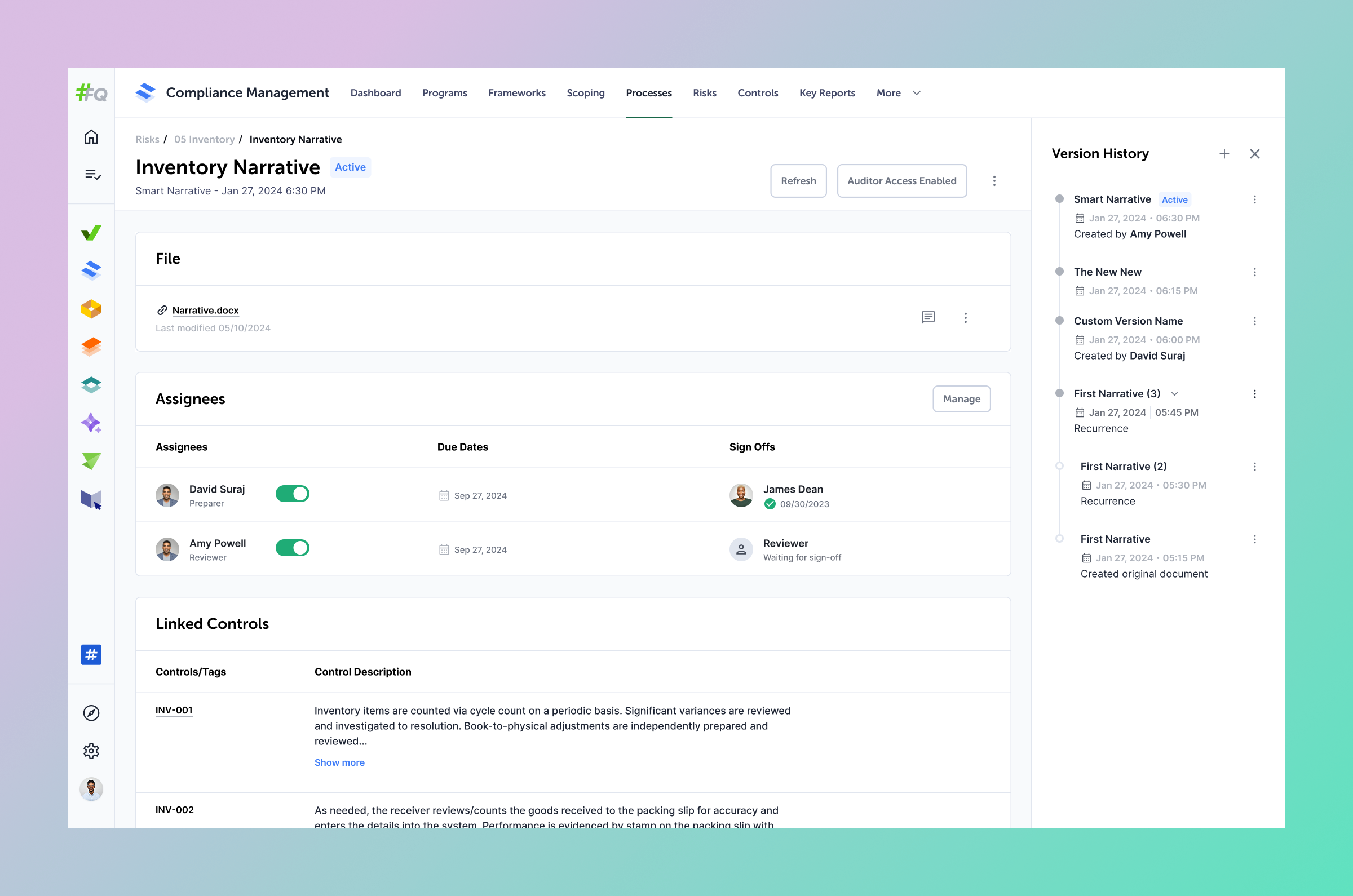
It was stated during a design critique that it may be beneficial to be able to visualize the version histories similar to viewing version histories in Figma.
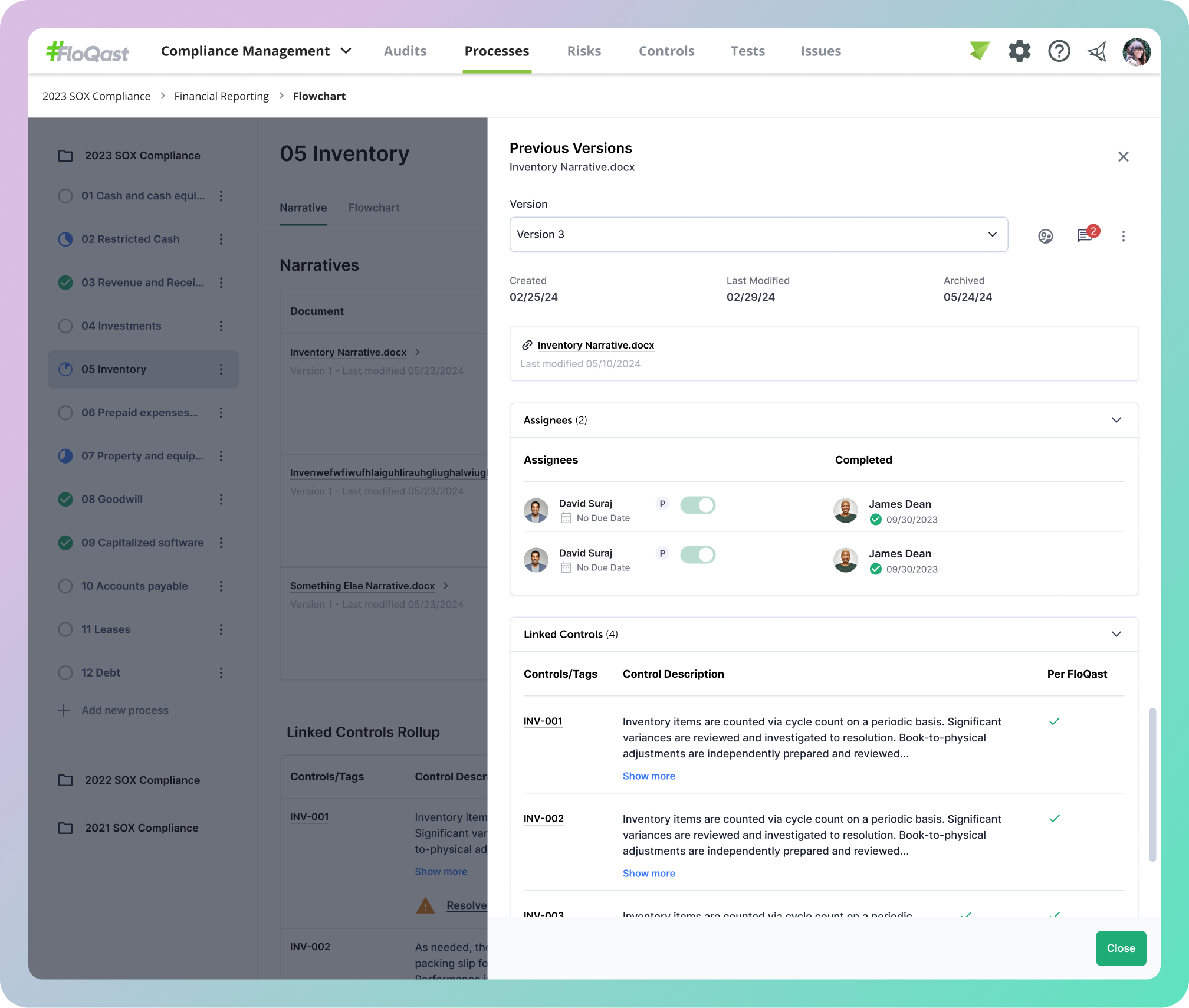
These two points ultimately lead to the final designs that introduce a new document details page.
Final Designs
Processes Details Page
Conflict Resolution
Document Details Page
What Worked Well
Triad Kickoff Established Trust Early
Introducing a structured PRD framework from day one helped align the team around shared goals and gave me immediate visibility into how engineering and product think. It also signaled to stakeholders that design was driving with intention, not just reacting.
Crash Course on Accounting Compliance
Partnering closely with my PM to get up to speed on accounting compliance gave me the foundation needed to make informed design decisions. Understanding the nuance between processes and controls was essential to designing conflict resolution flows that actually reflected how users think about their work.
What I’d Do Differently
Advocate for Design Decisions More Strongly
Early in my time on the team, I deferred to feedback I didn't fully agree with out of a desire to build trust. I've since learned that thoughtful pushback — grounded in rationale — is itself a trust-builder. I would have defended my design direction more confidently while remaining open to iteration.
Make Time for Research
The timeline didn't leave much room for discovery, but I would advocate harder for even lightweight research, like a few short user interviews, before jumping into solutions. Understanding why customers use multiple documents per process would have sharpened the conflict resolution UX significantly.
Next Opportunities
Dashboard Enhancements
With multiple files now tied to a process, there's an opportunity to surface richer status and coverage signals at the dashboard level — giving compliance teams a clearer at-a-glance view of which processes are fully documented versus those still needing attention.
Ability to Ignore Conflicts
Not every description conflict is meaningful. Giving users the ability to consciously dismiss or suppress specific conflicts would reduce noise and put more control in their hands, letting them focus on the discrepancies that actually matter for their audit trail.
Outcome
Faster Conflict Resolution
The inline conflict resolution flow reduced the back-and-forth between document owners and compliance managers, cutting resolution time from what previously required email threads to an in-product interaction resolved in under 2 minutes on average.
Feature Adoption
Within the first quarter of release, a majority of active enterprise customers had uploaded multiple files to at least one process, validating the assumption that single-file support was a meaningful limitation.