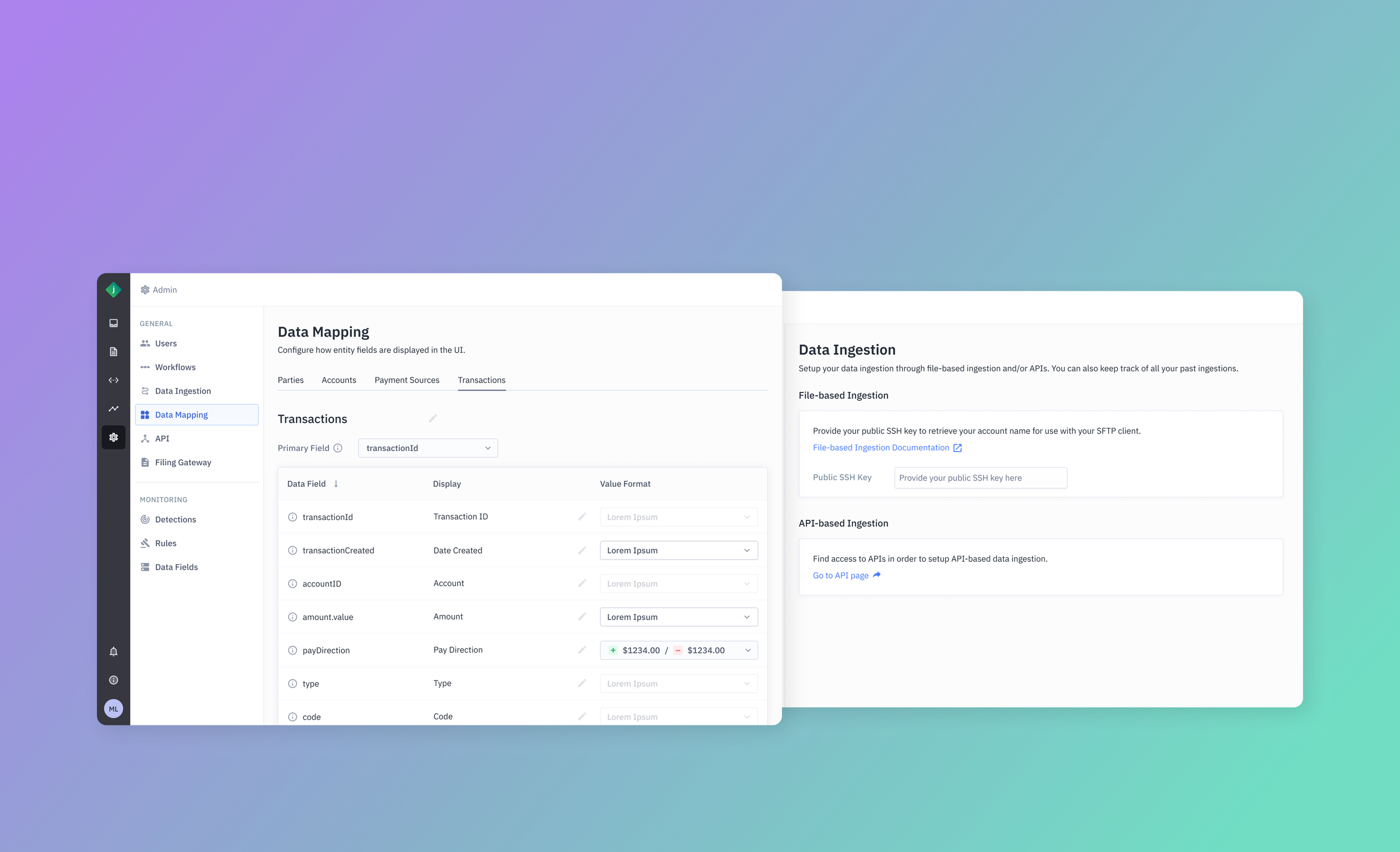
Setting up for success
Data Mapping & Ingestion
Our portal lacked self-serve capabilities. Specifically, one allowing new customer to ingest their data to our portal.
Customer were originally expected to work with our Solution Engineers (SE) and have them ingest the data. However, this wasn’t scalable and we’ve been making efforts to provide self-service tools to lessen the load for our SE’s.
I was tasked with coming up with a solution that would make it easy for customers to import data as well as map and display it correctly within the portal.
Problem
Customers need a way to quickly and easily ingest and map their data on the Jumio portal in order to onboard and begin monitoring and investigations without the hassle of reaching out to a Jumio SE.
High-Level Goals
The scope of this project was to:
Provide a means for customers to generate an API key
Provide an alternative file-based ingestion method through an SFTP client
Provide a means for customers to create custom mapping for data. I.e. naming conventions and formats
Understanding the Process
Almost goes without saying, but the first step to creating a seamless experience for these processes is to simply understand it. This involved meetings with product and engineering to understand what is needed for the customer and how each step connects.
Luckily, we also had a knowledge base with existing documentation around how a customer is expected to go about ingesting their data successfully.
For the sake of this case study, the process can be simplified and illustrated as follows:
To begin, you send your data to the Jumio platform, either in batches using file-based data ingestion or in real time using the Data Ingestion API. For example, many customers send their historical data as CSV files and then use the APIs to send data in real time as JSON objects. You can use whichever approach works best for you; for assistance, consult your Jumio Solutions Engineer.
Initial Iteration
We added additional settings pages to allow setup of API, Ingestion, and Mapping.
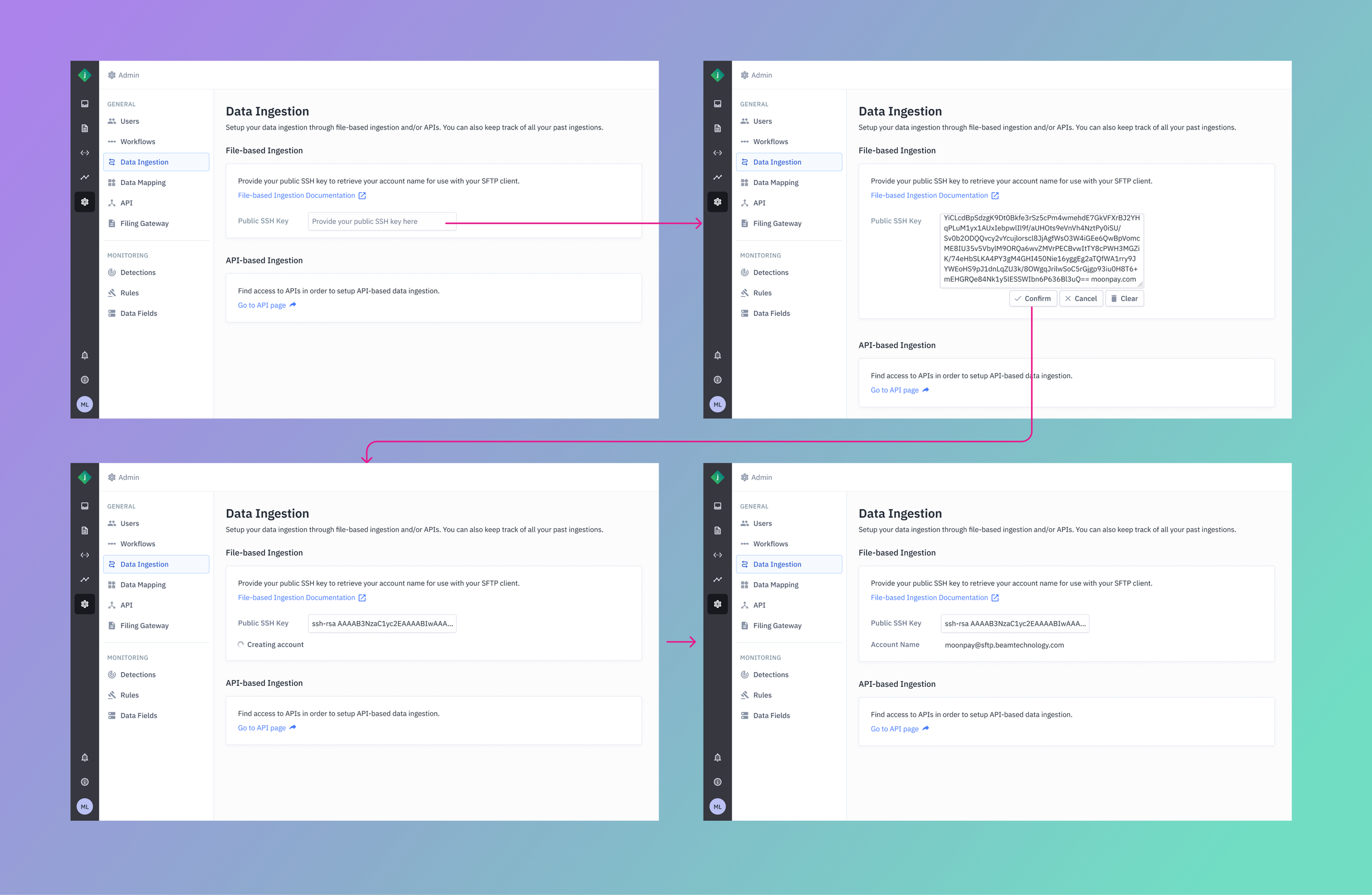
Data Ingestion
In order to allow for easy onboarding of new and existing customers alike, I approached the design by understanding how it is done technically. The customer was expected to set a JSON file in the format that we may expect and accept.
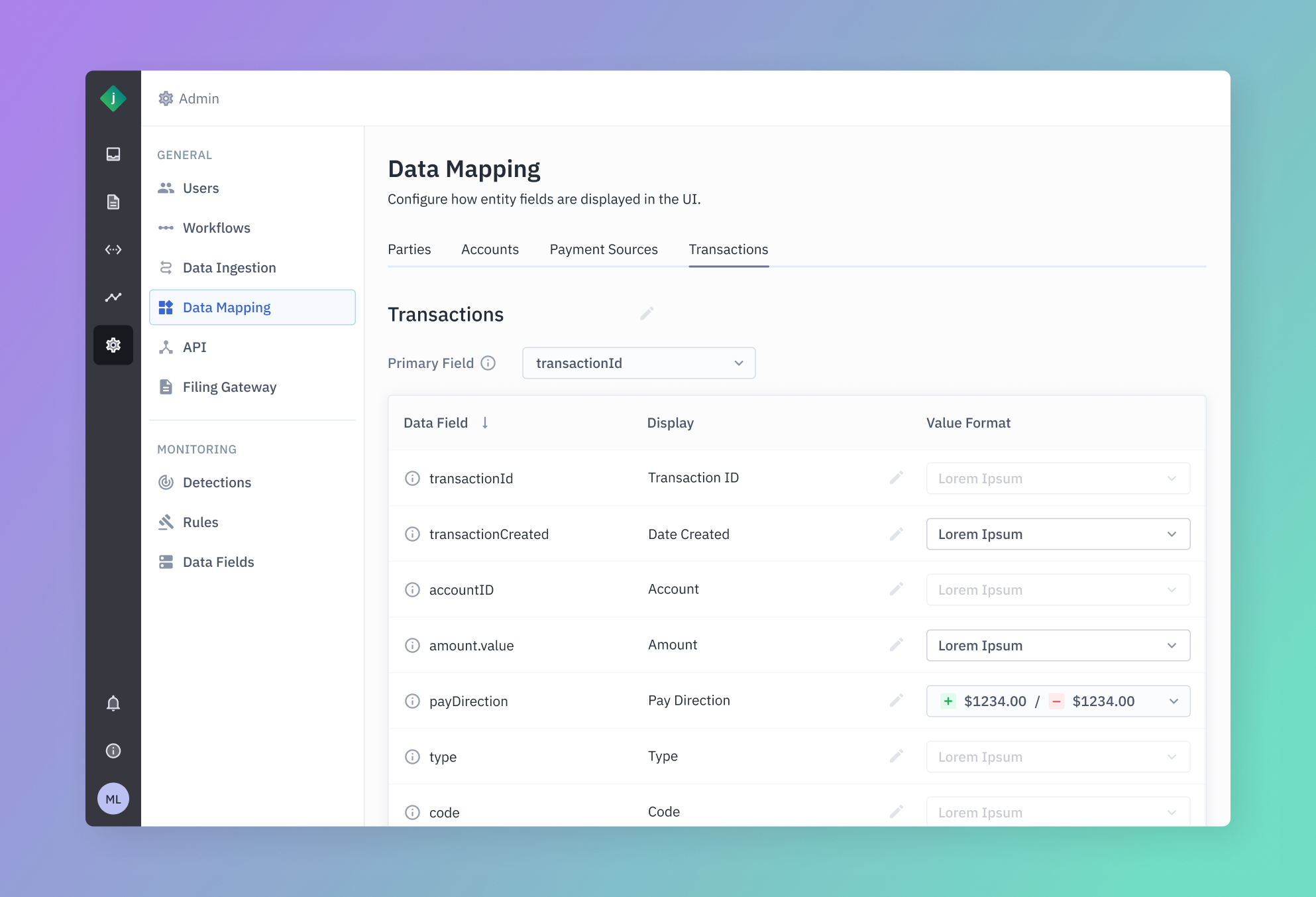
Data Mapping
After ingesting the data, it was important to allow the user to customize the mapping of fields that fit their internal vocabulary and format.
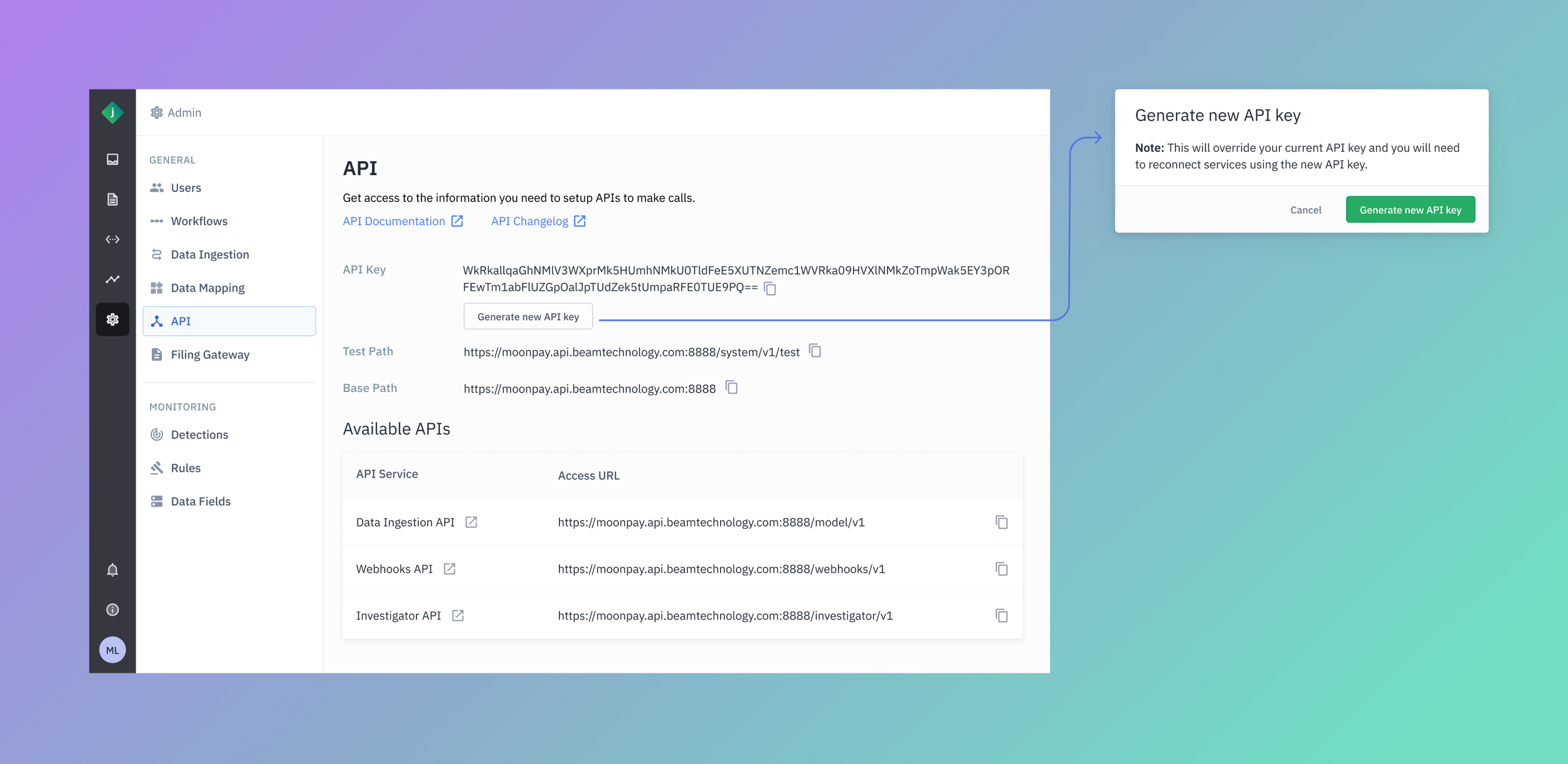
API Page
We started with simply providing customer’s a way to create an API key as well as showing other endpoints they would be able to utilize for other purposes. This was the first step in enabling the use of the Ingestion API. It was also important show links to the API documentation.
Feedback &
Final Iteration
I made the initial designs with a pattern of partitioning information under accordions. I initially did this with the idea that it may help with visual clutter and noise and to perhaps help direct the user towards the steps needed to be done at each page.
However, after some discussion, it was found to be an unnecessary extra step/click to access information they would need anyway. So I went ahead and made an iteration that would display all information and options upfront.
Accordions are unneccessary here and causing more disruption than it is helping prevent visual clutter.
Outcome
It was unfortunate to not have done validation tests for this feature but it was deemed unnecessary. The expectation was to test the solution in production.
There were also plans to expand on this feature, such as with:
Custom field mapping
Assign proxies